
Turn Pixels Into
Print-Ready Vectors.
Convert images and AI artwork into scalable SVGs, prepare designs for print, and create cutter-ready files — directly on your device.
From Pixels to Vectors
VecSynIQ converts suitable raster PNG and JPEG artwork into clean, mathematically precise SVG geometry directly on your device.
Use Left/Right arrows, then Enter or Space to choose a mode.
Actual exports from VecSynIQ 1.0.0 (build 5) on Android. All four modes use the same original Abigail artwork by Mrdzyn Studio. This showcase compares recorded exports; it does not process artwork in your browser.
Simple
Ideal for flat icons, geometric artwork, and clean logos with minimal colors.
The Simple export traces the purple-haired pixel character into colored vector shapes. Default settings.


0% shows the full vector; 100% shows the full raster. Use arrow keys, tap the range, or drag across the artwork.
Logo / Sticker
Optimized for vibrant logos, stickers, merchandise art with solid color clusters.
The Logo / Sticker export uses the same character artwork, with colored shapes and a local gradient in the SVG. Default settings.

0% shows the full vector; 100% shows the full raster. Use arrow keys, tap the range, or drag across the artwork.
Detailed
Captures subtle curves, multi-color nuances, and complex vector shapes.
The Detailed export uses the same character artwork with Smoothing set to 0. Its angular contours are preserved in this example. Defaults except Smoothing = 0.

0% shows the full vector; 100% shows the full raster. Use arrow keys, tap the range, or drag across the artwork.
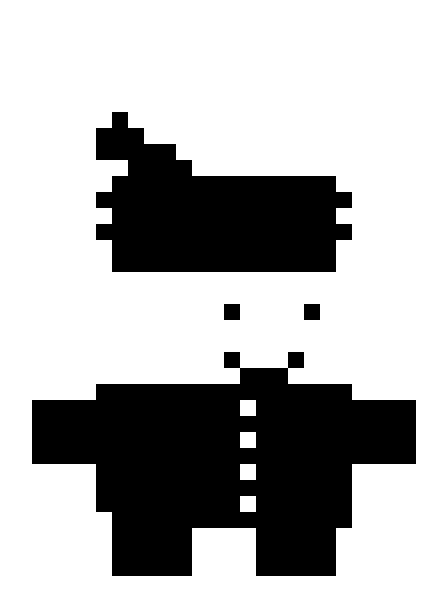
Monochrome
High-contrast black & white tracing for stamps, line drawings, and signatures.
The Monochrome export turns the same character into black shapes on an opaque white background, as exported by VecSynIQ. Default settings.
0% shows the full vector; 100% shows the full raster. Use arrow keys, tap the range, or drag across the artwork.
Precision Curve Fitting
Converts jagged raster pixel contours into smooth Bézier curves.
Color Cluster Control
Preserve accurate color palettes and balance solid color groupings.
Smoothing & Noise Filter
Eliminates compression artifacts and specks automatically.
Side-by-Side Comparison
Live dual-canvas inspection with zoom, pan, and comparison modes.
From AI Artwork to POD-Ready
Transform raster outputs and AI-generated concepts into production-grade vector and transparent assets ready for apparel, stickers, and merchandise.
T-Shirts & Apparel
Scale graphics to 300+ DPI equivalent vector paths. Eliminate fuzzy pixel edges on dark garments, Direct-to-Garment (DTG), and screen prints.
- Infinite scaling without resolution loss
- Eliminate raster box artifacts
Stickers & Vinyl Decals
Generate precise outer boundary cut contours with configurable bleed offsets for clean peeling and professional die-cut borders.
- Automatic contour offsets
- Tight color cluster boundaries
Transparent PNG & SVG
Strip unwanted solid backgrounds in one tap. Export high-res transparent PNGs and clean SVG files tailored to your POD platform specs.
- Native transparency preservation
- Standard Print Presets ready to upload
Prepare Artwork for Print
Everything you need to go from digital design concept to print-ready production files without launching heavy desktop suites.
Background Cleanup
Automatically detect and isolate simple light or dark background fills, preserving clean transparent edges around intricate artwork.
Print Presets
Quickly adapt designs to standard merchandise canvases — including 4500×5400 T-shirt print sizes, sticker sheets, mugs, and poster dimensions.
SVG Export
Output standards-compliant, lightweight SVG files that scale infinitely from a 2-inch sticker to a 20-foot billboard without loss of fidelity.
Transparent PNG
Render ultra-crisp transparent raster graphics for direct upload to Merch by Amazon, Printful, Redbubble, and custom print labs.
Built for Cutting Workflows
Generate cutter-ready layered SVGs with intelligent geometry optimization, contour offsets, and weed boxes for vinyl, HTV, and paper craft cutters.
Layered SVG & Shape Welding
Automatically merges same-color shapes into welded compound paths while eliminating redundant overlapping cut lines that damage vinyl materials.
Stacked & Sliced Geometry
Choose between Stacked Layers (complete underlying silhouettes for easy vinyl layering) or Sliced (Hollow) geometry (flush edge-to-edge seams for HTV heat transfer vinyl).
Registration Marks & Weed Box
Insert manual diamond registration marks across all layers for foolproof multi-color alignment, plus outer weed border boxes for effortless vinyl weeding.
Cutter Bundle ZIP Package
Export an all-in-one ZIP archive containing the master multi-layer SVG, isolated per-color SVGs, transparent PNG reference previews, and cut readiness reports.
Legal Notice: VecSynIQ is not affiliated with or endorsed by Cricut, Brother, Siser, or their respective owners. Product names are used only to identify compatible workflows.
Control Every Layer
Inspect, reorganize, and fine-tune individual vector color paths before sending your designs into production.
Color & Path Diagnostics
Audit hex codes, color groupings, and vector path density per color slice.
Reorder & Stack Hierarchy
Re-sequence cut order so base backing layers always cut and press in the optimal sequence.
Toggle Visibility & Isolate
Mute distracting backgrounds, isolate key shapes, and export single-layer SVGs on demand.
Your Artwork Stays Yours.
Core VecSynIQ artwork processing runs locally on your device. Imported artwork, generated vectors, cutter geometry, and production files are not uploaded to Mrdzyn Studio or to an external cloud vectorization/AI service during the normal creative workflow.
On-Device Processing
Rust-compiled native engines execute vector tracing entirely in local device memory.
No Account Required
Open the app and vectorize immediately. We never collect account registrations or profiles.
No Cloud Artwork Storage
Your source images and vector files remain exclusively on your local filesystem.
No Third-Party Ad Trackers
No behavioral ad tracking networks or invasive marketing analytics inside the application.
Subscription & Purchase Management: In-app purchases, product offerings, anonymous entitlement management, subscription status, and purchase restoration are securely handled via RevenueCat. Store payments are processed directly by Apple and Google. RevenueCat never receives or processes your artwork.
Create Across Your Devices
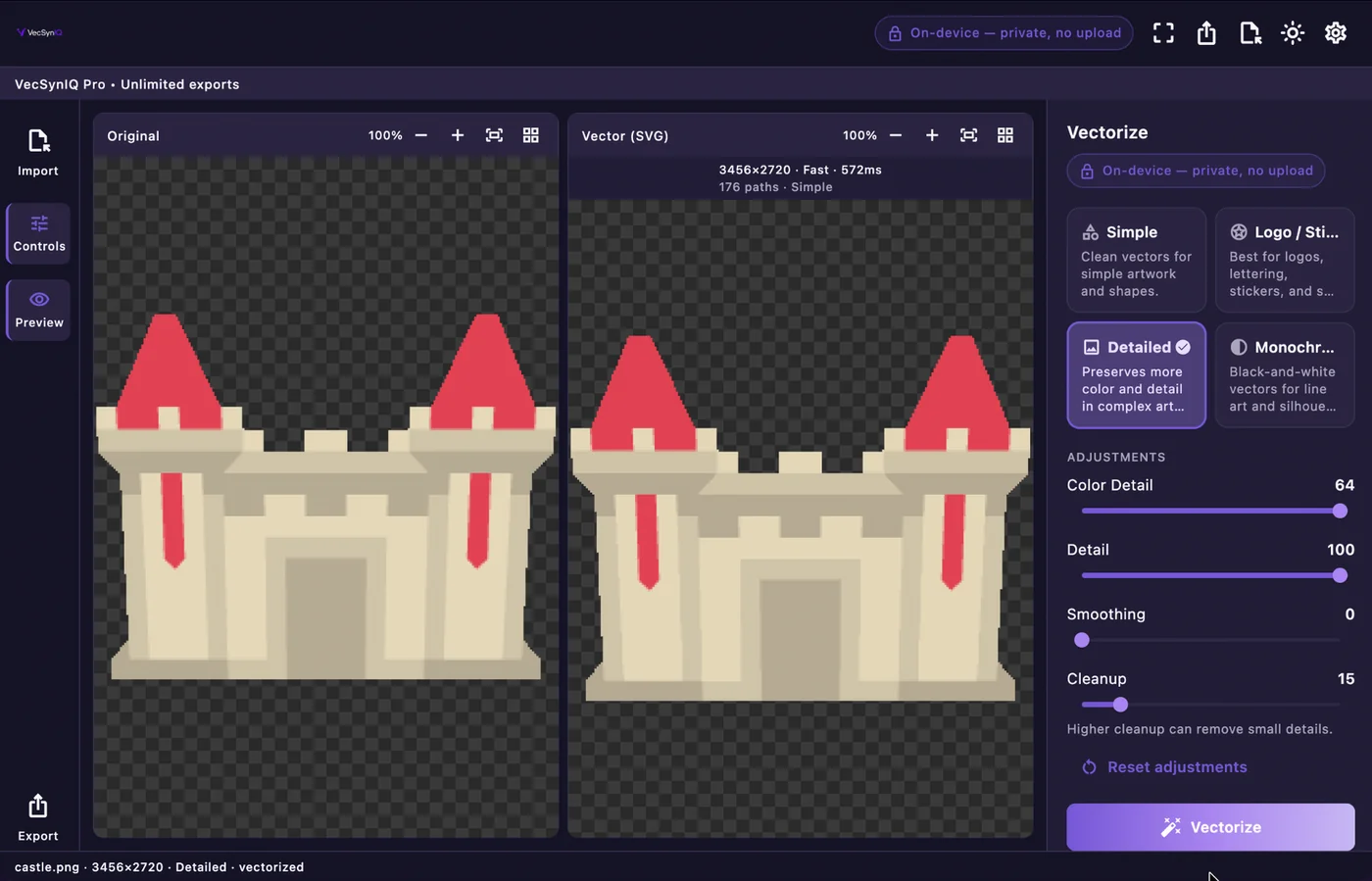
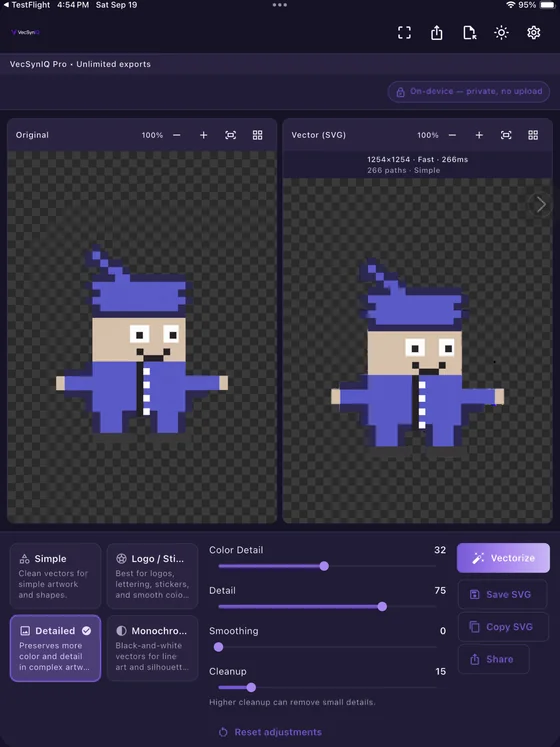
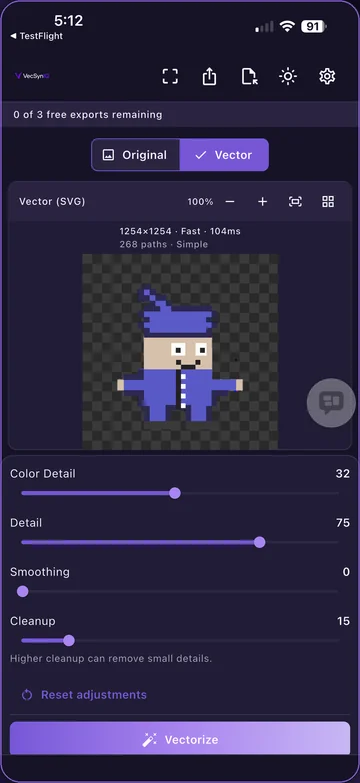
From mobile vectorization to full desktop studio controls, VecSynIQ provides an adaptive workflow designed for your device form factor.
macOS
Apple Silicon Mac

iPadOS
iPad

iOS (iPhone)
iPhone

Android
Android

Go Further with VecSynIQ Pro
Start free with core on-device vectorization, or upgrade to Pro for unlimited exports, multi-layer cutting tools, and production print prep.
Free
Experience local on-device vectorization with standard export capabilities.
- Core on-device vectorization workflow
- Standard PNG & JPEG import
- 3 qualifying exports per 30 days
- Original vs. Vector comparison preview
- Standard SVG & PNG export
- On-device local artwork processing
- Layered Cut SVG & Weed Boxes
- Cutter Bundle ZIP exports
VecSynIQ Pro
Unlimited exports and advanced print & cutting machine production pipelines.
- Unlimited vector & raster exports
- Layered Cut SVG generation for vinyl & craft cutters
- Weld same-color shapes & eliminate overlapping cuts
- Contour, Offset & Weed Box geometry generation
- Manual registration alignment marks
- Cutter Bundle ZIP exports with machine profiles
- Advanced Print Prep studio with dimension presets
- Background cleanup & transparency preservation
Frequently Asked Questions
Everything you need to know about VecSynIQ's local processing, cutting machine support, and licensing.
What is VecSynIQ?
VecSynIQ is a privacy-first creative application that converts raster images (such as PNG and JPEG files or AI-generated concepts) into clean, scalable SVG vector graphics and provides specialized production tools for print prep and craft cutting machines.
Does VecSynIQ generate AI artwork?
No. VecSynIQ does not generate generative AI images internally. Instead, it is the dedicated precision bridge that takes raster images or AI artwork you supply and converts them into production-ready vector paths, clean layers, and high-resolution print files.
Does my artwork leave my device?
No. Core VecSynIQ artwork processing runs locally on your device. Imported artwork, generated vectors, cutter geometry, and production files are not uploaded to Mrdzyn Studio or to an external cloud vectorization/AI service during the normal creative workflow.
What image formats can I import?
You can import standard raster images including PNG and JPEG/JPG formats. The app supports importing files directly from your device file manager, Photos library, or via drag-and-drop on desktop.
What can I export?
VecSynIQ exports standards-compliant scalable SVG vector files, multi-layer cutting SVGs, transparent PNG images, and complete Cutter Bundle ZIP packages containing isolated layer files and assembly guides.
Can I use VecSynIQ for print-on-demand (POD)?
Yes! VecSynIQ was specifically designed for POD creators, merchandise designers, and sticker sellers. It includes automated background cleanup, standard print canvas presets (like 4500×5400 for apparel), and infinite vector scaling so your prints are razor sharp.
Can I create files for cutting machines?
Yes. VecSynIQ features a dedicated Layered Cut SVG engine with shape welding, Stacked and Sliced geometry modes, contour bleed offsets, weed boxes, and manual registration alignment marks for Cricut, Brother ScanNCut, and Siser vinyl cutters.
Does VecSynIQ require an account?
No. You do not need to create an account, log in, or provide personal credentials to use VecSynIQ for local vectorization. In-app subscription entitlements are managed anonymously through RevenueCat.
What is included with VecSynIQ Pro?
VecSynIQ Pro unlocks unlimited vector and raster exports, the full Layered Cut SVG engine, Cutter Bundle ZIP archives, and advanced Print Prep dimension presets.
Is there a lifetime purchase?
No. VecSynIQ Pro is currently available exclusively through Monthly and Yearly subscriptions via the Apple App Store and Google Play. There is currently no lifetime license option.
Which platforms are supported?
VecSynIQ is engineered natively for macOS (Apple Silicon), iPadOS (iPad), iOS (iPhone), and Android (phones and tablets).
Ready to Turn Pixels
Into Vectors?
Vectorize. Prepare. Cut. Create.
Experience desktop-grade vector precision with on-device artwork processing on your Mac, iPad, iPhone, and Android device.